Taqweem turns a Hijri month into a poster you can print.
An Arabic, right-to-left Flutter app for making the monthly Ahl al-Bayt calendar that gets pinned in mosques and homes. Fill in the month, check the occasions, pick a template, then export a PNG or PDF.
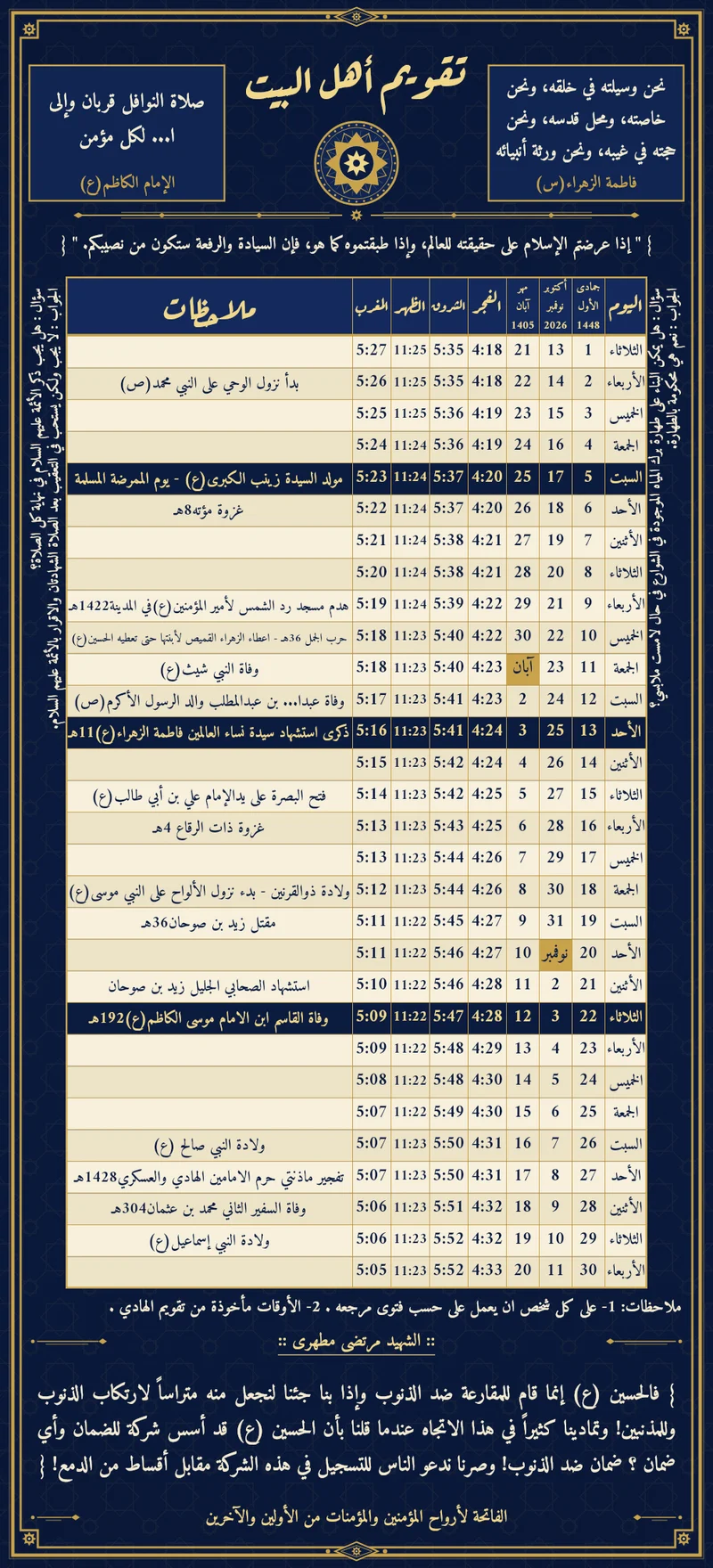
One month, ten looks
Every template draws the same month on the same 1000 × 2200 canvas, so switching never changes the data. Pick one to see it full size.
Templates are widgets, not images. A small kit of panels, title blocks, quote blocks and a table builder lets a new template take any layout, and each one has a golden-image test so a change that moves a pixel gets noticed.
Four steps from blank to print
The editor autosaves after every change, with undo and redo, so a half-finished month is always waiting on the home screen. These screens are rendered from the real app.
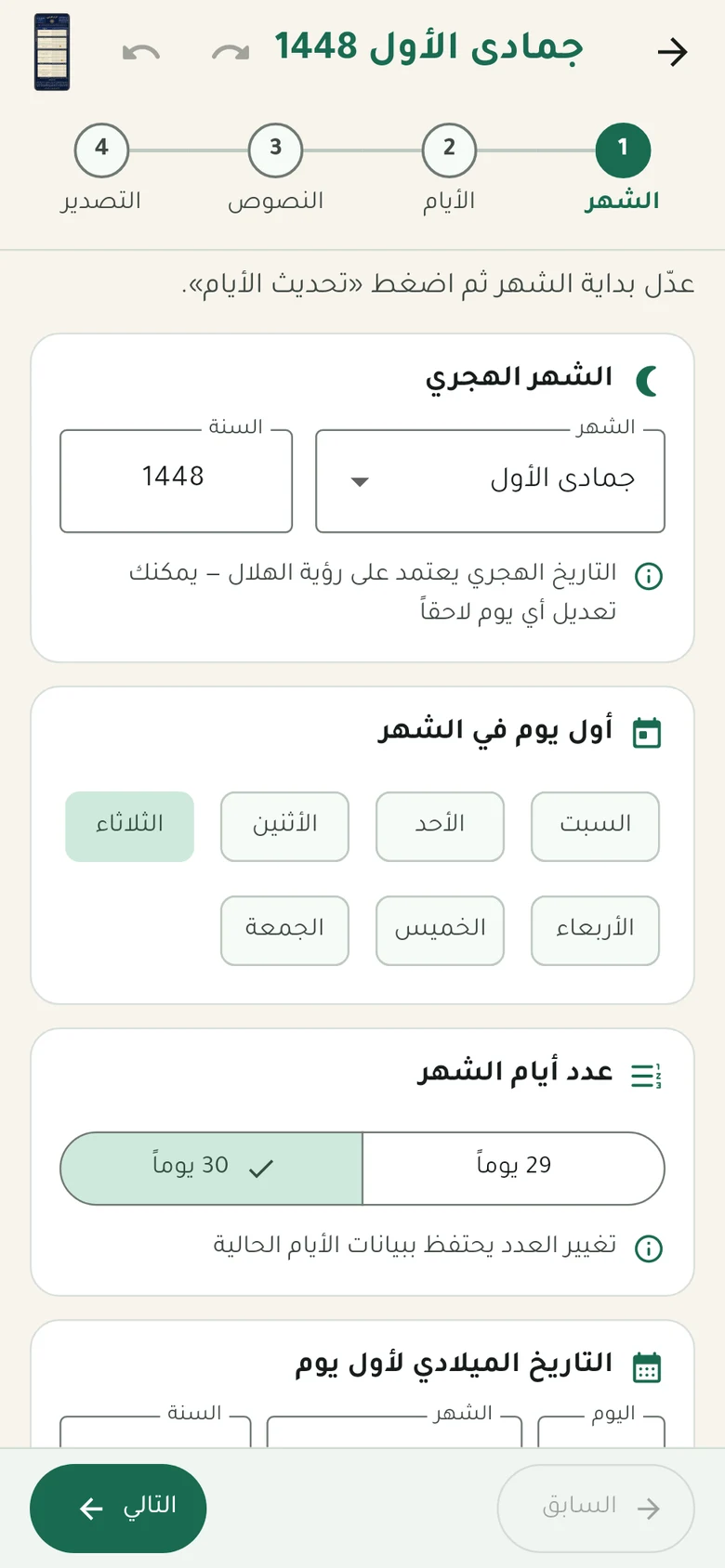
Month الشهر
Choose the Hijri month and year, the first weekday, and whether it has 29 or 30 days.
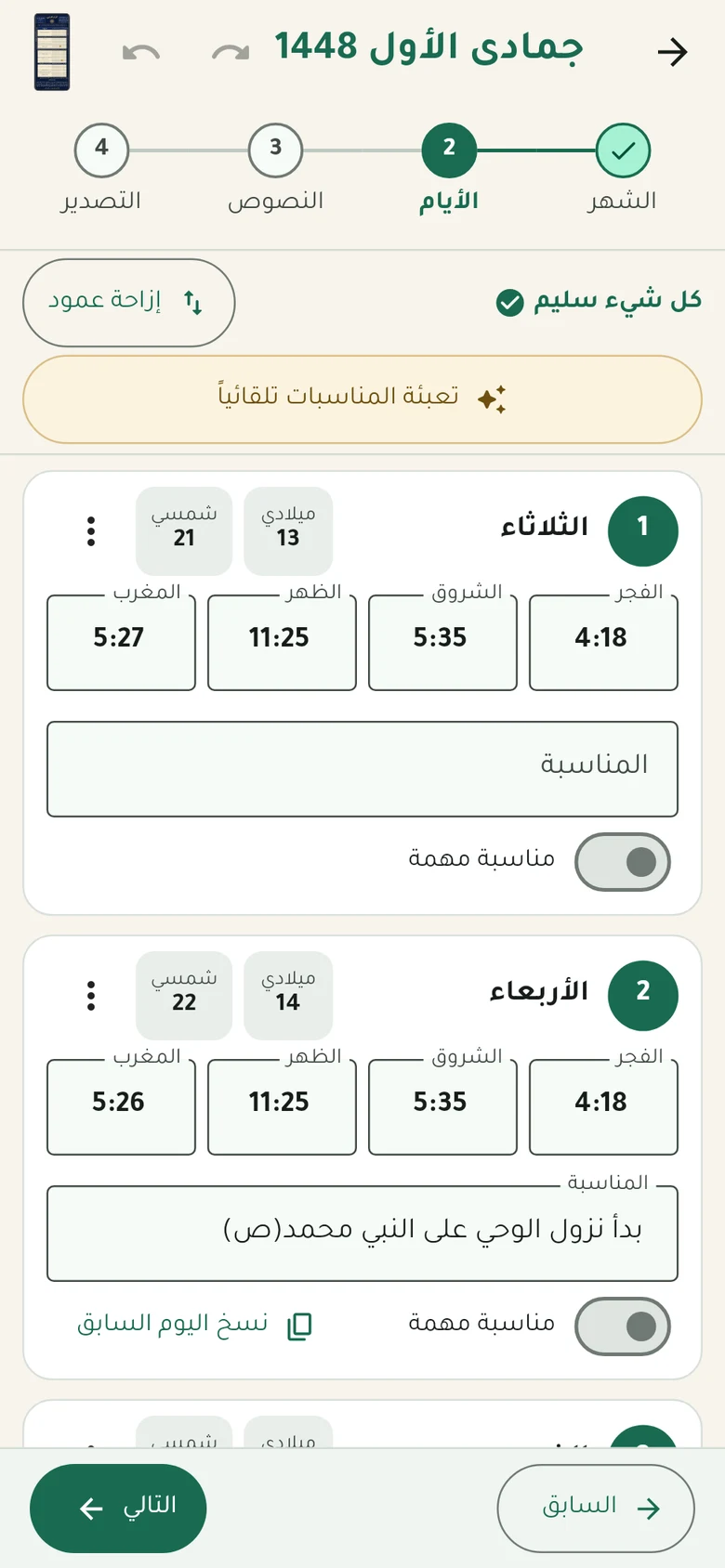
Days الأيام
One card per day for the Gregorian and solar dates, four prayer times and the occasion note.
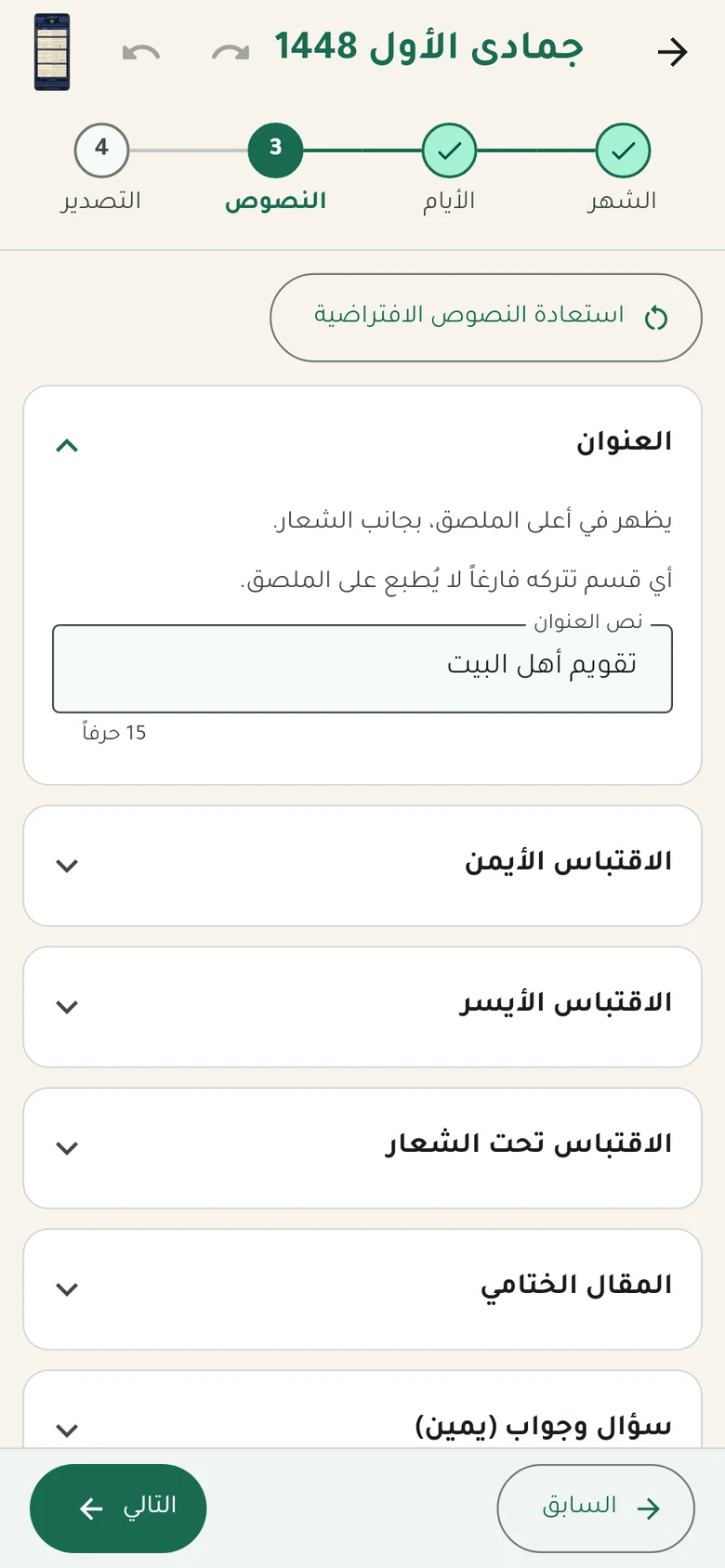
Texts النصوص
The title, header quotes, question-and-answer strips and the closing article. A section left empty is not printed.
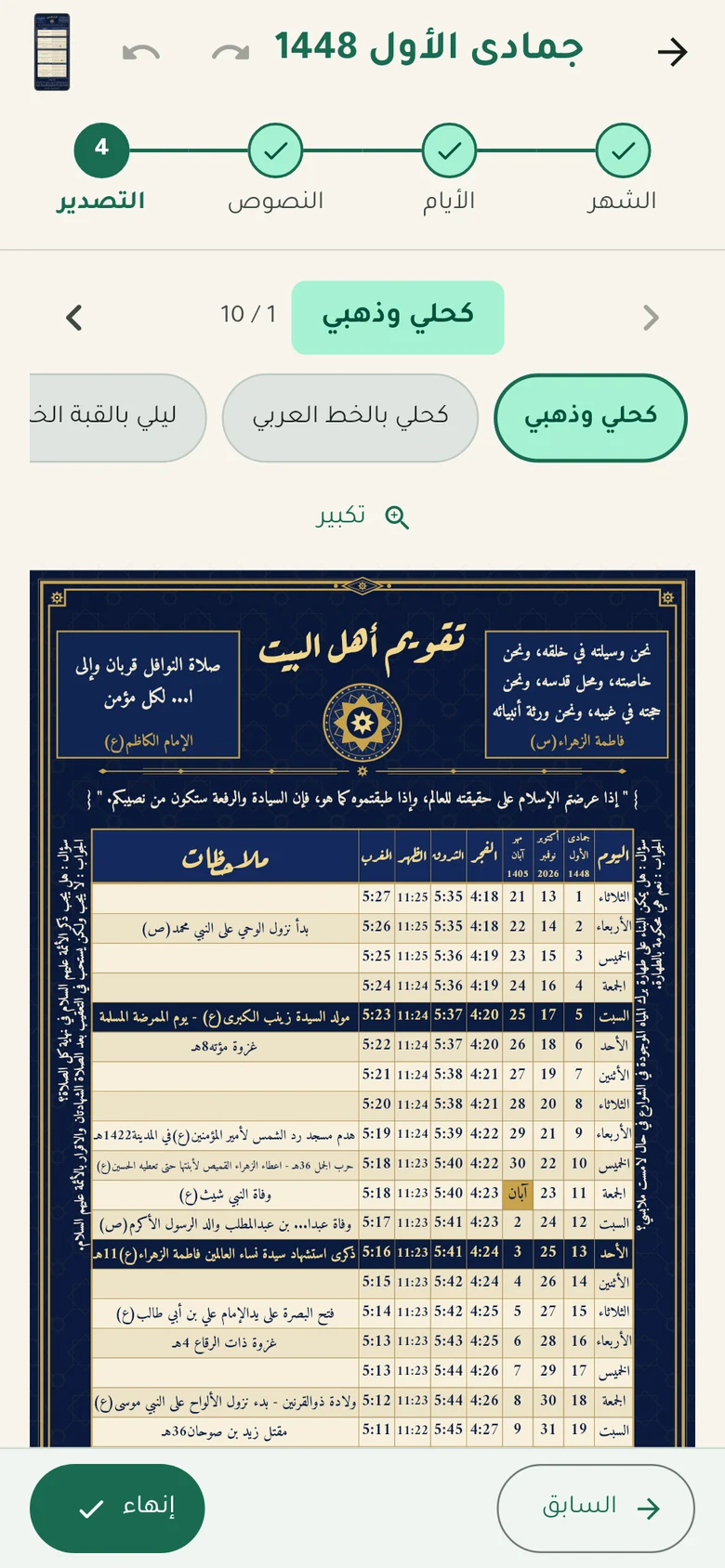
Export التصدير
Swipe through the templates with a live preview, then save or share a PNG or PDF.
Auto-fill writes only into days whose note is empty, and only with occasions marked verified. It never overwrites what you typed.
Home keeps your drafts as thumbnails. Copy a draft to the next month, delete it, or open the ready-made sample.
Content from Twelver Shia sources only
The occasions behind the day suggestions are generated from researched notes, not typed by hand. A script builds the Dart data file and a summary, and the rules for what counts as verified live in the script and its convention file.
What “verified” means
The occasion appears in at least two independent source families, and at least one of them is not the weak one. Unverified entries keep a warning mark and are skipped by auto-fill.
Where sources disagree
The main date follows the calendar the user works from. Other opinions stay as alternates, worded as “according to one view”.
One way in
The data file is never edited by hand. tool/gen_shia_occasions.py rebuilds it from the research folder, a convention file and a deny-list.
Sized for the printer
The poster is laid out once at 1000 × 2200 and rasterised at 2, 3 or 4 times that size. The PDF is built from the same image, so the PNG and the PDF always match.
| Scale | Pixels |
|---|---|
| ×2 | 2000 × 4400 |
| ×3 | 3000 × 6600 |
| ×4 | 4000 × 8800 |
×4 can exceed the texture limit of some Android GPUs, so use ×3 or ×2 on those phones. The logos are raster images 575 to 860 px wide, which is why a vector logo is the recommended next step for large prints.
How it is built
Arabic text, right-to-left layout and fixed-size printing each shaped a decision.
A fixed canvas
Templates draw on a 1000 × 2200 page that is scaled to fit the screen, then rasterised. What you preview is what you export, on any device size.
Arabic first
The whole interface is right-to-left, with Arabic digits and weekday names, bundled Amiri, Tajawal and Aref Ruqaa fonts, and braces that are bidi-isolated so a quotation keeps its shape.
Tested like a library
907 tests cover the calendar fill rules, validation, every template and the export path. The suite passes with animations switched off and switched on.
Known limits
- There is no Hijri to Gregorian converter. The user enters the dates, because the start of a Hijri month depends on moon sighting.
- Prayer times are typed in, not calculated.
- Some occasions are still unverified and need a check against a printed prayer guide.